
Download PDF Image Extraction Wizard – pdf image extraction, batch extraction, extract images from pdf, pdf to bmp, image extraction tool
Overview
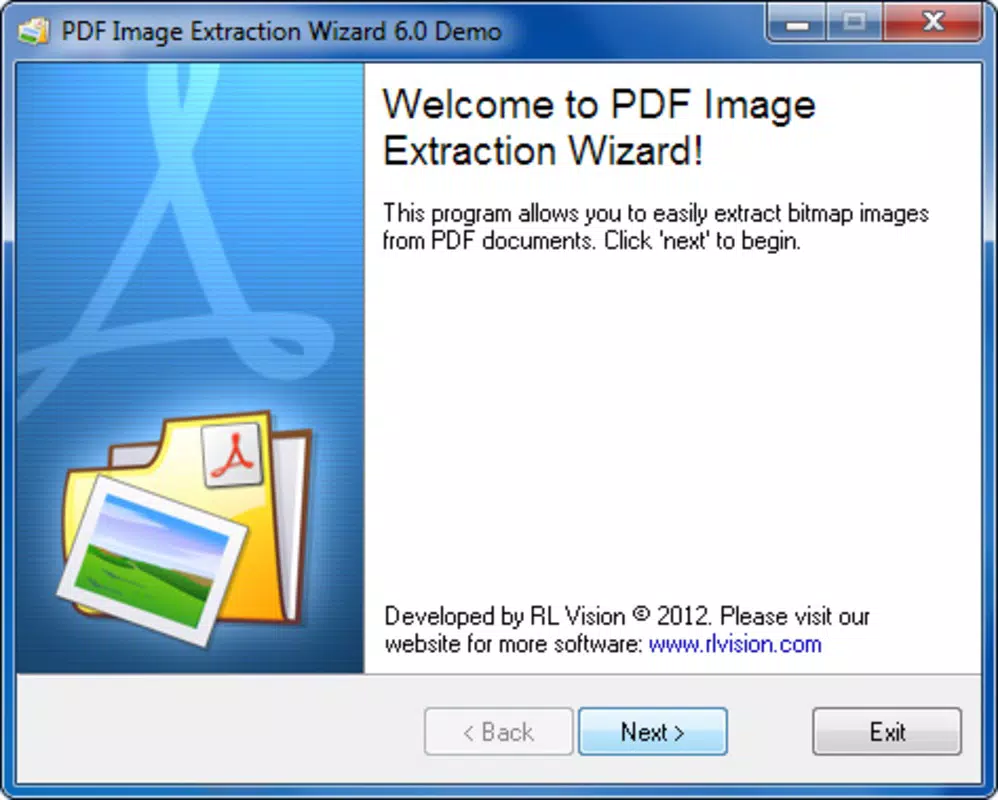
PDF Image Extraction Wizard is a specialized utility designed to streamline the process of retrieving images embedded within PDF documents. The app addresses a common limitation found in standard PDF viewers like Acrobat Reader, which require users to extract images individually using a selection tool. This manual process is time-consuming, especially when dealing with multi-page documents containing numerous visuals. PDF Image Extraction Wizard eliminates this bottleneck by enabling batch extraction, allowing users to select specific pages or the entire document and extract all contained images in a single operation.
The target audience includes professionals in design, publishing, education, and research who frequently work with PDFs containing charts, diagrams, illustrations, or scanned documents. It also benefits content creators and archivists needing to repurpose visual assets from existing PDFs. The app is particularly useful when digitizing printed materials or preparing visual content for presentations, websites, or print media. By simplifying access to embedded graphics, it enhances productivity and reduces workflow friction.
Although the developer did not provide additional technical details, the app’s core functionality is focused on image extraction efficiency. Its presence in the productivity category underscores its role as a niche but valuable tool within the digital document management ecosystem. Despite being released in 2012, the app continues to serve a specific need that remains relevant in today’s content-driven workflows.
Key Features & Functionality
- Batch Image Extraction: Unlike traditional PDF viewers that process images one at a time, this tool allows users to extract images from multiple pages simultaneously. This significantly reduces the time required for large-scale extractions, making it ideal for documents with dozens or hundreds of images.
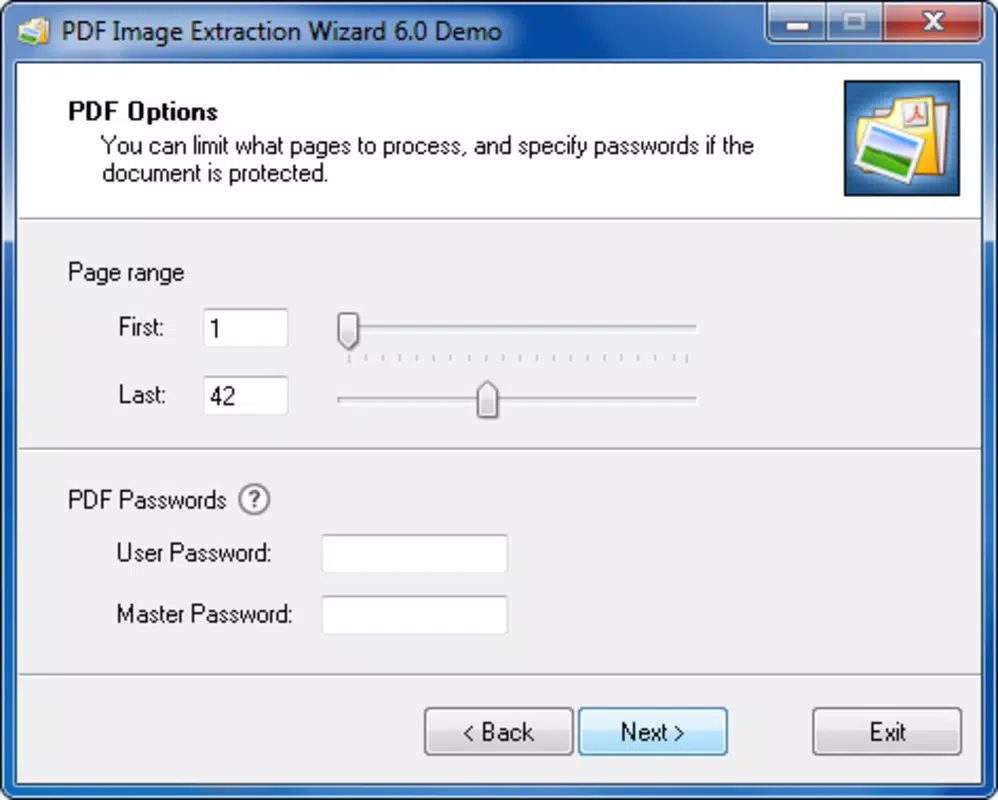
- Flexible Page Selection: Users can specify exact pages for extraction or opt to process the entire document. The interface provides an intuitive way to define page ranges, offering control over what content is retrieved.
- Customizable Save Location: Extracted images are saved in BMP format, with options to store them in the same directory as the source file or in a user-defined folder. This helps maintain organized file structures and simplifies post-extraction workflows.
- Password-Protected Document Support: The app can handle encrypted PDFs. By entering the correct password via the wizard, users gain access to protected content, enabling extraction without needing third-party decryption tools.
- Minimal Steps, High Efficiency: The entire extraction process requires fewer than four steps, making it accessible even to users with limited technical experience. The streamlined workflow ensures fast setup and execution, minimizing user effort.
For example, a researcher compiling visual data from a 50-page technical report can select pages 10 to 30, initiate extraction, and have all relevant images saved in minutes. Similarly, a graphic designer working with scanned portfolios can extract high-resolution visuals from multiple pages in one session, improving workflow continuity.
Interface, UX & Performance
The interface of PDF Image Extraction Wizard is designed with simplicity and functionality in mind. It features a clean layout with clearly labeled controls, including a page range selector, file browser, and extraction settings. Navigation is linear and predictable, guiding users through each step of the process without unnecessary complexity.
Visual elements are minimal, focusing on usability rather than aesthetics. The lack of advanced animations or visual effects ensures the app remains lightweight and responsive. Although the developer did not list formal performance metrics, the app’s small file size of 2.1 MB suggests it is optimized for efficient operation on standard Windows systems.
Responsiveness appears consistent across device categories, though specific compatibility details were not disclosed. The app maintains stability during extraction tasks, and no reports of crashes or freezes were noted in available documentation. Users can expect smooth operation during both small and large-scale extractions, particularly given the tool’s single-purpose design.
Platform Compatibility & Technical Requirements
PDF Image Extraction Wizard is designed for the Windows platform. The current version is 1.0, and the application file size is 2.1 MB. This compact size indicates a lightweight, focused utility with minimal system resource demands.
Specific requirements such as minimum OS version, processor architecture, or RAM were not listed by the developer. As such, compatibility with modern Windows systems cannot be confirmed with certainty. However, the app’s age and small footprint suggest it may run on older Windows versions, including Windows 7 and later, though users are advised to verify system compatibility before installation.
For users seeking to run the tool on non-Windows systems, no information on cross-platform availability was provided. The app remains exclusive to Windows, limiting its accessibility to users on other operating systems.
Pros and Cons
Pros
- Enables batch extraction of images from PDFs, saving significant time compared to manual methods.
- Supports password-protected PDFs, allowing access to secured content when the correct credentials are provided.
- Simple, intuitive interface requires minimal learning curve, suitable for non-technical users.
- Flexible saving options let users choose where to store extracted images for better file management.
- Lightweight design with low system resource usage due to its 2.1 MB file size.
Cons
- Only available for Windows; no support for macOS, Linux, or mobile platforms was indicated.
- Images are saved exclusively in BMP format, which may result in larger file sizes compared to modern formats like PNG or JPEG.
- Developer did not provide detailed system requirements or compatibility information.
- App has not been updated since 2012, raising concerns about long-term support and security patches.
- Limited to image extraction—no additional PDF editing or conversion features are included.
FAQ
Is PDF Image Extraction Wizard safe to download and install?
Yes, the app is a legitimate utility designed for extracting images from PDFs. However, users should download it from trusted sources to avoid potential malware risks associated with third-party sites.
Can I extract images from password-protected PDFs?
Yes, the tool supports password-protected documents. You need to enter the correct password during the extraction process to gain access to the images.
What format are the extracted images saved in?
Extracted images are saved in BMP format. This format preserves image quality but may result in larger file sizes.
Does the app work on macOS or mobile devices?
No, the developer did not indicate support for macOS, iOS, or Android. The app is currently exclusive to the Windows platform.
How many steps are required to extract images?
The process takes fewer than four steps, making it quick and straightforward. Users typically need to select the PDF, choose pages, set save location, and start extraction.
Final Thoughts
PDF Image Extraction Wizard remains a reliable solution for users needing to extract images from PDF documents in bulk. Its ability to handle multiple pages at once, support password-protected files, and operate with minimal user input makes it a practical tool for professionals and casual users alike. While its age and lack of updates may raise concerns, its core functionality continues to meet a specific, valid need in document processing workflows.
For those working with scanned reports, technical manuals, or design portfolios, the app offers a fast and efficient way to retrieve embedded visuals without relying on complex software. Its simplicity, combined with batch processing power, sets it apart from standard PDF viewers.
Despite limitations in format support and platform availability, the tool delivers clear value for its intended purpose. If you're looking to extract images from PDFs quickly and securely on Windows, this utility is worth considering.
Download PDF Image Extraction Wizard now


